
By the end of this tutorial, you will be able to use Google Gemini in Langchain.
We will be performing the following steps:
- We will create a Google Gemini API Key
- Install the necessary python packages
- Write the python code to call Gemini using Google Gemini API Key
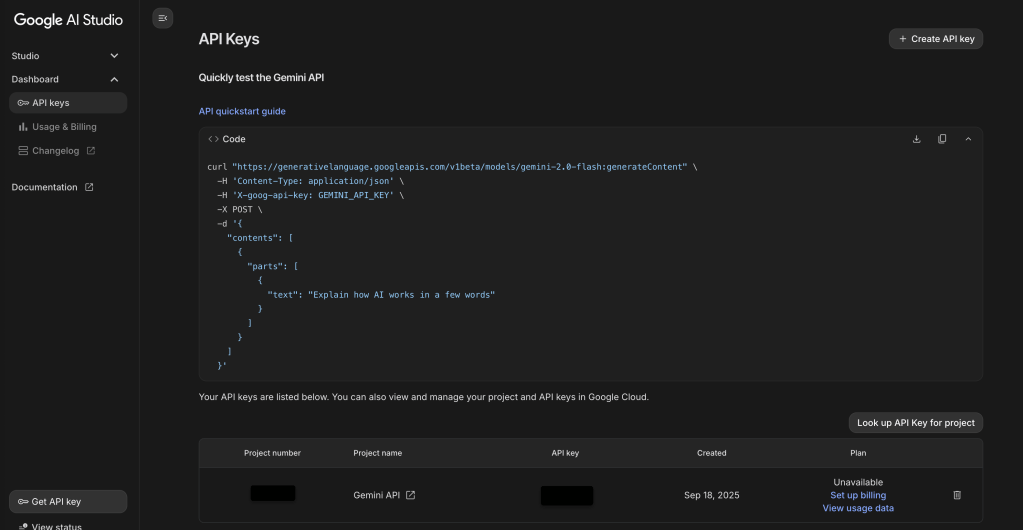
Create a Gemini API Key
Create an account at https://aistudio.google.com/apikey. Once you create an account and login to the account, click ‘create API Key’ at the right.
Save the Gemini API key safely in your local drive.
Install the necessary python packages
pip install langchain-google-genai Open a terminal and specify the Gemini API key as an environment variable. This key will be read from your code subsequently. Do not use the API key directly in the code as you can accidentally commit the code to Github.
export GOOGLE_API_KEY="XXXX-XXXX-XXXX"Create the Langchain Python File
Save the Langchain code in a Python file called main.py
import getpass
import os

if not os.environ.get("GOOGLE_API_KEY"):
    os.environ["GOOGLE_API_KEY="] = getpass.getpass("Enter your OpenAI API key: ")

from langchain_google_genai import ChatGoogleGenerativeAI

# Initialize the model, which will automatically use the API key from your environment
llm = ChatGoogleGenerativeAI(model="gemini-2.0-flash")

# Simple invocation
result = llm.invoke("What is Langchain ?")
print(result.content)
Run your code in the terminal
python main.py keep calm and learn !
Leave a comment